

Did you know that nearly 90% of Business website fail to generate leads consistently?
Many business owners invest thousands of dollars in building a professional-looking website, expecting it to attract customers automatically. Unfortunately, simply having a website isn’t enough. Without proper website optimization, SEO, a great user experience, and clear conversion strategies, even the most attractive business website can struggle to bring in inquiries or sales.
The good news is that these problems are fixable.
In this guide, you’ll discover the top reasons why thesewebsites fail to generate leads and learn practical strategies to improve website performance, boost search engine rankings, and convert more visitors into paying customers.
What Makes a Website Generate Leads Machine?

Before discussing what’s going wrong, let’s understand what success actually looks like.
A lead-generating website encourages visitors to take a meaningful action, such as:
- Filling out a contact form
- Booking a consultation
- Requesting a quote
- Calling your business
- Starting a WhatsApp conversation
- Downloading a free guide
- Subscribing to your newsletter
- Scheduling a demo
- Purchasing a product or service
In simple words, your website shouldn’t just attract visitors—it should persuade them to become potential customers. Think of your website as a salesperson. A good salesperson doesn’t simply introduce a product and walk away.
They understand customer problems.
They answer questions.
They build confidence.
They explain the benefits.
Finally, they ask for the sale.
Your website should follow the same process.
Why So Many Small Business Websites Fail
Many business owners assume that launching a website is the final step.
In reality, launching is only the beginning.
A website starts generating leads only when it combines several essential elements:
- Strong messaging
- Search engine visibility
- Fast loading speed
- Mobile-friendly design
- Clear calls-to-action
- Trust-building content
- Easy navigation
- Conversion-focused layout
- High-quality content
- Continuous optimization
Unfortunately, many websites are missing several of these components.
As a result, visitors leave within seconds without contacting the business.
This is exactly why so many websites receive traffic but generate very few leads.
The Hidden Cost of a Poor Website
A website that doesn’t convert visitors can cost your business much more than the money spent on development.
It can lead to:
- Lost sales opportunities
- Lower customer trust
- Higher advertising costs
- Poor return on marketing investment
- Lower Google rankings
- Increased bounce rates
- Fewer referrals
- Reduced brand authority
Over time, these issues can slow down business growth, even if you’re actively investing in digital marketing.That’s why improving your website isn’t just about better design—it’s about improving your entire sales process.
What You’ll Learn in This Guide
By the end of this article, you’ll understand:
- Why most websites struggle to generate leads
- The biggest mistakes that reduce conversions
- Practical fixes you can implement
- How to improve user experience
- How SEO and conversion optimization work together
- Ways to build trust with website visitors
- Simple improvements that can increase inquiries without increasing advertising costs
These strategies are based on proven digital marketing principles and are designed to help businesses create websites that not only look professional but also deliver measurable results.
1. Your Website Doesn’t Clearly Explain What You Do
Imagine a visitor lands on your homepage for the very first time.
Within the first 5 to 10 seconds, they should immediately understand:
- What your business does
- Who you help
- Why they should choose you
- What action they should take next
Unfortunately, this is where many websites fail. Instead of communicating a clear message, they use vague headlines like:
- “Welcome to Our Website”
- “Innovative Solutions for Everyone”
- “Your Trusted Partner”
While these phrases may sound professional, they don’t tell visitors anything meaningful.
If people can’t quickly understand your business, they’ll leave and visit a competitor’s website.
Why This Hurts Your Business
Online visitors have short attention spans. They don’t want to spend time figuring out what you offer. Every second of confusion increases the chances of losing a potential customer.
A confusing homepage can lead to:
- Higher bounce rates
- Lower engagement
- Fewer inquiries
- Lost sales opportunities
How to Fix It
Your homepage should answer four simple questions immediately:
- What do you do?
- Who do you help?
- What problem do you solve?
- What should visitors do next?
For example, instead of writing:
“We Build Digital Success.”
Write something more specific like:
“ We Generate More Leads with High-Converting Websites and Digital Marketing.”
The second statement instantly explains the business, the audience, and the benefit.
2. There Is No Clear Call-to-Action (CTA)
Imagine walking into a store where no one greets you, no one offers help, and no one tells you where to go.
That’s exactly what happens on many websites. Visitors read the content but aren’t guided toward the next step. Without a clear Call-to-Action (CTA), people don’t know what to do next.
Should they call you?
Fill out a form?
Book a consultation?
Send a WhatsApp message?
Download a brochure?
If the answer isn’t obvious, many visitors simply leave.
Why This Hurts Conversions
A website without a CTA is like a salesperson who explains everything perfectly but never asks for the sale. Even interested visitors need direction.
How to Fix It
Place strong and action-oriented CTAs throughout your website.
Examples include:
- Get a Free Website Audit
- Book a Free Consultation
- Request a Quote Today
- Talk to Our Experts
- Start Growing Your Business
- Chat with Us on WhatsApp
Your CTA buttons should stand out visually and appear in strategic locations such as:
- Hero section
- Service pages
- Blog posts
- Contact section
- End of every important page
Remember, every page should encourage visitors to take one clear action.
3. Your Website Loads Too Slowly
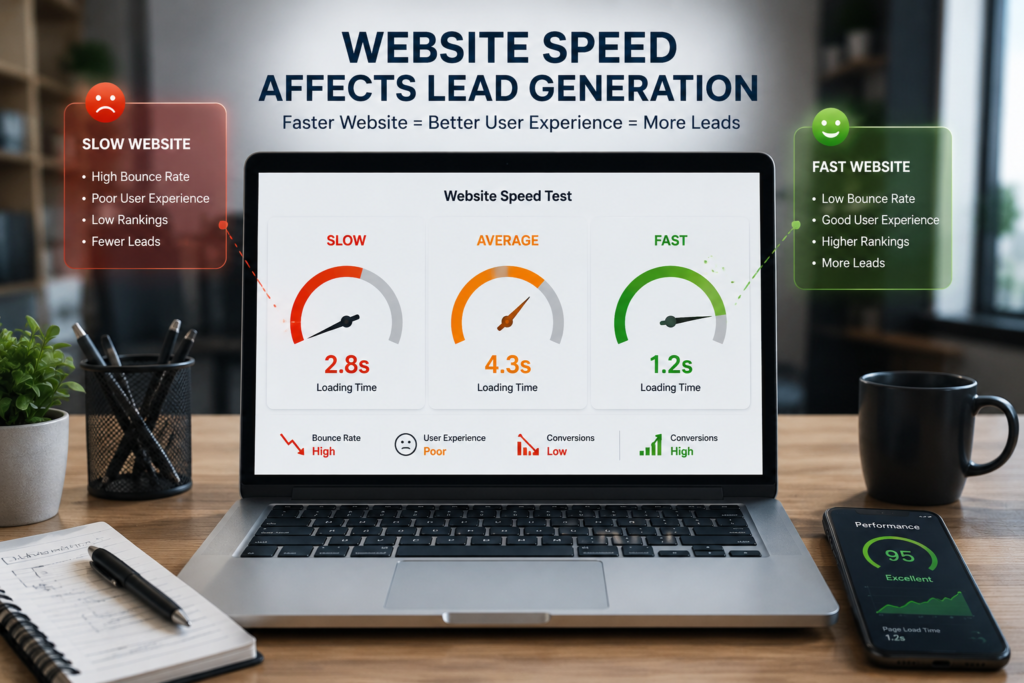
Website speed isn’t just a technical issue—it’s a business issue.
Today’s users expect websites to load almost instantly.
If your website takes too long, visitors may leave before they even see your content.
Slow websites create frustration, reduce trust, and negatively affect both user experience and search engine rankings.
Common Causes of Slow Websites
- Large image files
- Poor-quality hosting
- Too many plugins
- Unoptimized code
- Heavy animations
- Unnecessary scripts
The Business Impact
A slow website can lead to:
- More visitors leaving without taking action
- Lower conversion rates
- Reduced customer satisfaction
- Lower visibility in search engines
- Wasted advertising budget
Imagine paying for Google Ads only for visitors to leave because your website takes too long to load. That’s money lost without giving your business a fair chance.
How to Fix It
Improve website speed by:
- Compressing images before uploading
- Using reliable web hosting
- Removing unnecessary plugins
- Enabling browser caching
- Using modern image formats like WebP
- Minimizing CSS and JavaScript files
Even a small improvement in loading speed can significantly improve user experience and increase lead generation.
4. Your Website Isn’t Mobile-Friendly
Take a moment and think about your own browsing habits. How often do you search for products or services on your phone? Your customers do the same.
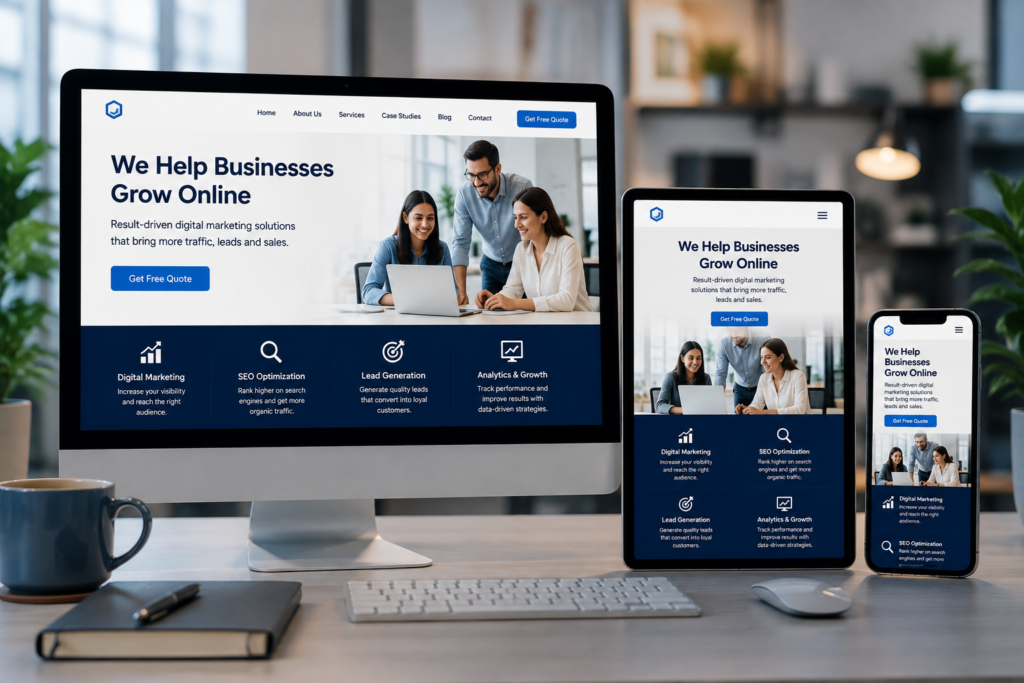
Today, a large percentage of website visitors come from mobile devices. If your website doesn’t work well on smartphones, you’re losing potential customers every single day.
Signs of a Poor Mobile Experience
- Tiny text that’s difficult to read
- Buttons that are hard to tap
- Images that don’t resize properly
- Slow loading on mobile networks
- Forms that are frustrating to complete
- Menus that don’t function correctly
Visitors won’t struggle to use your website—they’ll simply leave.
How to Fix It
Make sure your website:
- Uses a responsive design
- Displays properly on all screen sizes
- Has readable fonts
- Includes touch-friendly buttons
- Loads quickly on mobile devices
- Keeps forms short and simple
Before publishing any changes, test your website on multiple devices to ensure a smooth experience for every visitor.
A mobile-friendly website isn’t just good for users—it’s essential for generating more leads and staying competitive.
By fixing these four issues alone, many small businesses see noticeable improvements in website engagement and customer inquiries.
1. Your Website Doesn’t Clearly Explain What You Do
Imagine a visitor lands on your homepage for the very first time.
Within the first 5 to 10 seconds, they should immediately understand:
- What your business does
- Who you help
- Why they should choose you
- What action they should take next
Unfortunately, this is where many websites fail.
Instead of communicating a clear message, they use vague headlines like:
- “Welcome to Our Website”
- “Innovative Solutions for Everyone”
- “Your Trusted Partner”
While these phrases may sound professional, they don’t tell visitors anything meaningful.
If people can’t quickly understand your business, they’ll leave and visit a competitor’s website.
Why This Hurts Your Business
Online visitors have short attention spans. They don’t want to spend time figuring out what you offer.
Every second of confusion increases the chances of losing a potential customer.
A confusing homepage can lead to:
- Higher bounce rates
- Lower engagement
- Fewer inquiries
- Lost sales opportunities
How to Fix It
Your homepage should answer four simple questions immediately:
- What do you do?
- Who do you help?
- What problem do you solve?
- What should visitors do next?
For example, instead of writing:
“We Build Digital Success.”
Write something more specific like:
“We grow Small Businesses Generate More Leads with High-Converting Websites and Digital Marketing.”
The second statement instantly explains the business, the audience, and the benefit.
2. There Is No Clear Call-to-Action (CTA)
Imagine walking into a store where no one greets you, no one offers help, and no one tells you where to go.
Most likely, you’d walk out.
That’s exactly what happens on many websites.
Visitors read the content but aren’t guided toward the next step.
Without a clear Call-to-Action (CTA), people don’t know what to do next.
Should they call you?
Fill out a form?
Book a consultation?
Send a WhatsApp message?
Download a brochure?
If the answer isn’t obvious, many visitors simply leave.
Why This Hurts Conversions
A website without a CTA is like a salesperson who explains everything perfectly but never asks for the sale.
Even interested visitors need direction.
How to Fix It
Place strong and action-oriented CTAs throughout your website.
Examples include:
- Get a Free Website Audit
- Book a Free Consultation
- Request a Quote Today
- Talk to Our Experts
- Start Growing Your Business
- Chat with Us on WhatsApp
Your CTA buttons should stand out visually and appear in strategic locations such as:
- Hero section
- Service pages
- Blog posts
- Contact section
- End of every important page
Remember, every page should encourage visitors to take one clear action.
3. Your Website Loads Too Slowly
Website speed isn’t just a technical issue—it’s a business issue.
Today’s users expect websites to load almost instantly. If your website takes too long, visitors may leave before they even see your content. Slow websites create frustration, reduce trust, and negatively affect both user experience and search engine rankings.
Common Causes of Slow Websites
- Large image files
- Poor-quality hosting
- Too many plugins
- Unoptimized code
- Heavy animations
- Unnecessary scripts
The Business Impact
A slow website can lead to:
- More visitors leaving without taking action
- Lower conversion rates
- Reduced customer satisfaction
- Lower visibility in search engines
- Wasted advertising budget
Imagine paying for Google Ads only for visitors to leave because your website takes too long to load.
That’s money lost without giving your business a fair chance.
How to Fix It
Improve website speed by:
- Compressing images before uploading
- Using reliable web hosting
- Removing unnecessary plugins
- Enabling browser caching
- Using modern image formats like WebP
- Minimizing CSS and JavaScript files
Even a small improvement in loading speed can significantly improve user experience and increase lead generation.
4. Your Website Isn’t Mobile-Friendly
Take a moment and think about your own browsing habits.
How often do you search for products or services on your phone?
Your customers do the same. Today, a large percentage of website visitors come from mobile devices. If your website doesn’t work well on smartphones, you’re losing potential customers every single day.
Signs of a Poor Mobile Experience
- Tiny text that’s difficult to read
- Buttons that are hard to tap
- Images that don’t resize properly
- Slow loading on mobile networks
- Forms that are frustrating to complete
- Menus that don’t function correctly
How to Fix It
Make sure your website:
- Uses a responsive design
- Displays properly on all screen sizes
- Has readable fonts
- Includes touch-friendly buttons
- Loads quickly on mobile devices
- Keeps forms short and simple
Before publishing any changes, test your website on multiple devices to ensure a smooth experience for every visitor.
A mobile-friendly website isn’t just good for users—it’s essential for generating more leads and staying competitive.
By fixing these four issues alone, many businesses see noticeable improvements in website engagement and customer inquiries. That’s money lost without giving your business a fair chance.
5. Your Website Isn’t Optimized for Search Engines (SEO)
A stunning website is useless if nobody can find it.
This is one of the biggest mistakes small business owners make. They invest heavily in designing a website but completely ignore Search Engine Optimization (SEO). Think about it this way. If your business doesn’t appear when someone searches for services you offer, you’re handing potential customers directly to your competitors.
For example, imagine you own a digital marketing agency in India.
A potential customer searches:
- Best digital marketing agency near me
- SEO services for small business
- Website development company in India
If your website isn’t optimized, it simply won’t appear where customers are looking.
Why This Hurts Your Business
Without SEO, you’re forced to depend entirely on paid advertising or referrals.
That means:
- Less organic traffic
- Higher customer acquisition costs
- Fewer qualified leads
- Limited long-term growth
How to Fix It
A strong SEO strategy includes:
- Targeting the right keywords
- Writing helpful, high-quality content
- Optimizing title tags and meta descriptions
- Improving website speed
- Building internal links
- Creating location-specific pages if you serve local customers
- Publishing valuable blogs consistently
SEO isn’t a one-time task. It’s an ongoing investment that continues bringing visitors long after a blog or page is published.
6. Your Website Doesn’t Build Trust

People don’t buy from businesses they don’t trust.
Imagine finding two companies that offer the exact same service.
The first website has customer reviews, project photos, testimonials, certifications, and clear contact information.
The second website has none of these. Which business would you trust?The answer is obvious.Many business websites expect visitors to contact them without giving them any reason to feel confident.
Signs Your Website Lacks Trust
- No customer testimonials
- No client logos
- No real business address
- No team information
- No portfolio
- No Google Reviews
- No case studies
- No HTTPS security
Visitors naturally become cautious.
Instead of contacting you, they continue searching.
How to Fix It
Add trust-building elements across your website, including:
- Genuine customer testimonials
- Google Review ratings
- Before-and-after project examples
- Case studies
- Team photos
- Company story
- Certifications and awards
- Secure HTTPS connection
- Clear contact information
Trust is often the deciding factor between a visitor leaving your website or becoming your next customer.
7. Your Navigation Confuses Visitors
Imagine entering a supermarket where nothing is organized.
Products are randomly placed.
There are no signs.
You can’t find what you’re looking for.
You’d probably leave.
That’s exactly how visitors feel on websites with poor navigation.
If users can’t find information quickly, they won’t spend time searching.
They’ll simply leave.
Common Navigation Mistakes
- Too many menu items
- Confusing page names
- Hidden contact information
- Important pages buried deep inside the website
- Broken links
- No search functionality
Every extra click increases the chances of losing a customer.
How to Fix It
Keep your navigation simple and intuitive.
Your primary menu should clearly include pages like:
- Home
- About
- Services
- Portfolio
- Blog
- Contact
Important buttons like “Get a Free Quote” or “Contact Us” should always be easy to find.
Remember, visitors should never have to guess where to click next.
8. Your Content Focuses on You Instead of the Customer
One of the biggest copywriting mistakes businesses make is talking only about themselves.
Many websites say things like:
“We have 10 years of experience.”
“We are the leading company.”
“We offer high-quality services.”
While these statements aren’t wrong, they don’t answer the customer’s biggest question:
“How will this help me?”
Customers care more about solving their problems than learning about your achievements.
Shift the Focus
Instead of saying:
“We build websites.”
Say:
“We build high-converting websites that help businesses generate more leads and increase sales.”
Notice the difference?
The second version immediately communicates a clear benefit.
How to Fix It
Write content that speaks directly to your audience.
Focus on:
- Their challenges
- Their goals
- Their frustrations
- Their desired outcomes
- Your solution
When visitors feel understood, they’re far more likely to trust your business and take action.
These four mistakes silently reduce your website’s ability to generate leads every single day.
The good news is that each one can be fixed with the right strategy.
In the next section, we’ll cover the final major reasons why business websites fail—including weak lead capture, lack of analytics, ignoring follow-ups, and the practical improvements that can turn your website into a consistent source of high-quality leads.
9. You’re Not Capturing Leads Effectively
Many business owners believe that if visitors are interested, they’ll automatically call or email.
Unfortunately, that’s rarely how people behave online.
Most visitors are still researching. They’re comparing businesses, reading reviews, and exploring different options before making a decision.
If your website doesn’t provide an easy way to capture their information, they’ll leave—and there’s a good chance they’ll never return.
Common Lead Capture Mistakes
- Only one contact form on the entire website
- Long and complicated forms
- No WhatsApp chat option
- No free consultation offer
- No downloadable resources
- No newsletter signup
- No contact buttons on important pages
Every missed visitor is a missed business opportunity.
How to Fix It
Make it incredibly easy for visitors to contact you.
Include lead capture opportunities throughout your website, such as:
- “Get a Free Website Audit”
- “Book a Free Consultation”
- “Request a Free Quote”
- “Chat on WhatsApp”
- “Schedule a Discovery Call”
Keep your contact forms short.
Ask only for the information you actually need, such as:
- Name
- Phone Number
- Business Name
- Brief Message
The fewer fields people have to fill out, the more likely they are to complete the form.
10. You Don’t Track Website Performance
Imagine running a business without checking your sales, expenses, or profits.
It would be impossible to know what’s working.
The same applies to your website.
Many owners have no idea:
- Where their visitors come from
- Which pages perform best
- Which pages people leave quickly
- Which forms generate the most leads
- Which marketing campaigns produce customers
Without data, every marketing decision becomes a guess.
Why This Is a Problem
If you don’t measure your website’s performance, you can’t improve it.
You may continue spending money on strategies that aren’t delivering results while ignoring opportunities that could significantly increase conversions.
How to Fix It
Monitor your website regularly using analytics and tracking tools.
Track important metrics like:
- Website traffic
- Conversion rate
- Bounce rate
- Average session duration
- Top-performing pages
- Lead sources
- Form submissions
- Click-through rates
Review this data every month and use it to make informed improvements.
Successful businesses don’t guess.
They measure, test, and optimize.
Your Website Is Never “Finished”
One of the biggest myths in digital marketing is believing that a website is a one-time project.
The reality is very different.
A high-performing website is constantly evolving.
Customer expectations change.
Search engine algorithms change.
Competitors improve.
Technology advances.
Your website should improve too.
Businesses that regularly update their websites almost always outperform businesses that leave them untouched for years.
Think of your website as a living business asset—not a digital brochure.
Website Lead Generation Checklist
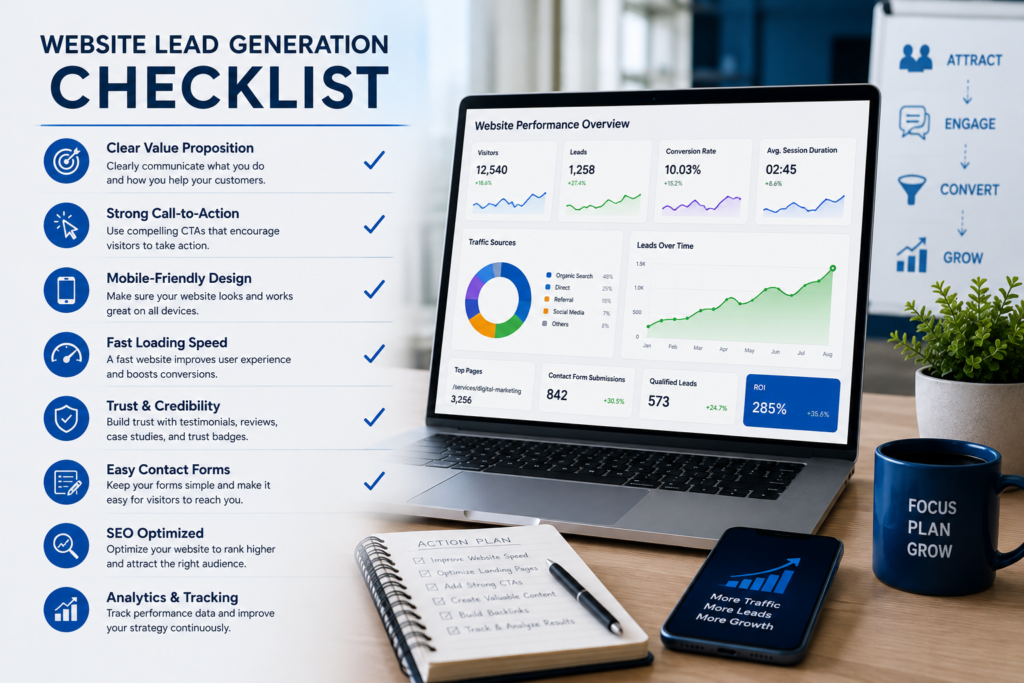
Before you leave, use this quick checklist to evaluate your website.
Content & Messaging
✔ Your homepage clearly explains what you do.
✔ Visitors immediately understand who you help.
✔ Every page has a clear Call-to-Action.
✔ Your content focuses on customer benefits rather than company achievements.
User Experience
✔ The website loads quickly.
✔ It works perfectly on mobile devices.
✔ Navigation is simple and easy to use.
✔ Contact information is visible on every important page.
Trust
✔ Customer testimonials are displayed.
✔ Google Reviews are visible.
✔ Portfolio or case studies are available.
✔ The website uses HTTPS security.
SEO
✔ Every page targets relevant keywords.
✔ Images are optimized.
✔ Internal links connect related pages.
✔ Blog content is published regularly.
Lead Generation
✔ Contact forms are short.
✔ WhatsApp chat is available.
✔ Free consultation or quote is offered.
✔ Analytics and conversion tracking are installed.
If you answered “No” to several of these points, your website is likely missing valuable opportunities to generate leads.
The good news is that every issue on this checklist can be improved with the right strategy.
Final Thoughts
Your website should be one of your hardest-working business assets.
It should attract visitors, build trust, answer questions, solve problems, and encourage potential customers to take action.
If it isn’t generating leads, the problem usually isn’t your business.
It’s the strategy behind your website.
The encouraging part is that most of these issues are completely fixable.
Small improvements in messaging, user experience, SEO, trust, and conversion optimization can make a remarkable difference over time.
Instead of treating your website as an online brochure, start treating it as your best salesperson—one that works for your business 24 hours a day, 7 days a week.
Ready to Turn Your Website Into a Lead-Generating Machine?
If your website isn’t bringing in consistent inquiries, it’s time to stop guessing and start optimizing.
At Krishmit Digital, we help small businesses create websites that don’t just look professional—they generate qualified leads, improve search visibility, and support long-term business growth.
Whether you need a website redesign, SEO strategy, conversion optimization, or a complete digital marketing solution, our team is here to help.
Get in touch with Krishmit Digital today and discover how your website can become your most powerful marketing and sales tool.
Need Help Growing Your Business Online?
Your website should do more than just exist—it should bring in qualified leads, build trust, and help your business grow consistently.
At Krishmit Digital, we specialize in creating high-converting websites, SEO strategies, and result-driven digital marketing solutions tailored for small businesses, startups, and growing brands.
Whether you want to improve your existing website or build a new one from scratch, our team is ready to help you achieve measurable results.
Ready to grow your business? Contact Krishmit Digital today and let’s build a website that works as hard as you do and also follow our social media accounts.
Why do most small business websites fail to generate leads?
Most business websites fail because they focus on design instead of strategy. Common issues include unclear messaging, weak calls-to-action, poor SEO, slow loading speed, lack of trust signals, confusing navigation, and a poor mobile experience. Even if a website looks attractive, it won’t generate leads unless it’s built to convert visitors into customers.
Can I generate leads without spending money on ads?
Yes. A well-optimized website can generate consistent organic leads through SEO, valuable content, local search optimization, and strong conversion strategies. While paid advertising can accelerate results, organic traffic is a long-term investment that continues delivering value over time.
How can I improve my website’s conversion rate?ite’s conversion rate?
Start by making your value proposition clear, improving page speed, simplifying navigation, adding strong calls-to-action, showcasing customer testimonials, optimizing for mobile devices, and reducing unnecessary form fields. Small improvements across these areas can significantly increase conversions.
How important is SEO for lead generation?
SEO is one of the most important factors for long-term lead generation. If your website doesn’t appear when potential customers search for your products or services, you’re missing valuable business opportunities. Good SEO helps attract highly targeted visitors who are already looking for what you offer.
How often should I update my business website?
Your website should never remain static. Review and update it regularly by publishing fresh content, improving existing pages, monitoring performance, fixing technical issues, and optimizing for changing customer behavior and search engine algorithms.
What’s the biggest mistake small businesses make with their websites?
The biggest mistake is treating the website as an online brochure instead of a sales and marketing tool. A successful website should educate visitors, build trust, answer questions, remove objections, and guide users toward taking action.